What’s Happening at Cheshire Library in May

Welcome to May at Cheshire Library! We have lots of wonderful programs for all ages springing up throughout the month – here’s a sample:
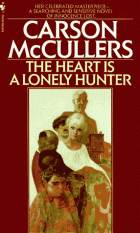
515846Cheshire Cats Classics Club

Monday May 2, 2016,  6:30  –  7:30 PM

The Cheshire Cats Classics Club meets once per month on a Monday evening, to discuss a classic book. This month’s book is The Heart is a Lonely Hunter by Carson McCullers. There is limited seating for this event.  For more information and to register for this program, contact program moderator Jennifer Bartlett at jbartlett@cheshirelibrary.org.

11184570_370207023169784_521488374_nTune Time for Tots

Thursdays in May, 9:30 –  10:15 AM

Enjoy music and movement in this high energy program. Songs help children develop listening skills and pay attention to the rhythms and rhymes of spoken language.  Clapping along to rhythms helps children hear the syllables in words and helps them improve motor skills. Children must be accompanied by a care giver. For ages 1 to 3 years old. No registration required.

logoRhythm & Rhyme Storytime

Thursdays in May, 11:00 AM  –  12:00 PM

Shake your tail feathers during this interactive storytime with songs, rhymes, and plenty of movement. Stay afterwards for a relaxed open play session. Children must be accompanied by a care giver. For ages 2 to 3 years old. No registration required.

STEAM-IMAGE-01S.T.E.A.M. Punks – Middle School Edition

Thursday May 5, 2016,  3:30  –  4:30 PM

Investigate the many elements of Science, Technology, Engineering, Arts, & Math. We’ll explore robotics, electronics, arts & crafts, food science and much, much more. We’ll put things together, take things apart, play games, and have a ton of fun! For grades 6-8, no registration required.

Local AuthorsLocal Author Day

Saturday May 7, 2016, 12:30 AM  –  4:00 PM

Local authors will be present to sell their books and to share their knowledge about their subjects and their advice about the world of publishing with area residents who are seeking to publish books of their own.

baby-with-book-2Parent Program: Baby Brain Development

Thursday May 12, 2016, 6:30  –  7:30 PM

Join us for a discussion on early baby development including learning, memory, and brain development, based on the latest research at UConn Waterbury. Presented by Kimberly Cuevas, Ph.D., Assistant Professor of Psychology. Visit UConn KIDS to learn more about current research in child development and explore opportunities to participate. Please register online.

indexGardening Tips & Tricks

Saturday May 14, 2016, 2:00  –  4:00 PM

Do you want to be a better gardener?  Looking ways to improve your technique?  Join us for a presentation by Julie Harrison, a landscape designer and decorator, who has a flair for creative and imaginative designs that are infused with her own unique sense of style. She knows that a good horticulturalist has to “get their hands dirty in order to get green.”  She will present unique ways and tricks to be a better gardener. Please register online.

sibling-rivalry2Parent Workshop: Juggling Two- Handling Sibling Relationships

Wednesday May 18, 2016, 6:30 – 7:30 PM

Participants explore what it means to add a new child to the family. Discuss emotional and practical challenges for parents and older siblings. Learn tips and strategies to nurture lifelong healthy sibling relationships. This parent workshop is presented by Christine Foster, Director of Community Relations from The Independent Day School. Please register online beginning April 25.


AR-140329785.jpg&maxh=400&maxw=667An Evening with a Dog Listener

Thursday May 19, 2016, 6:00  –  8:00 PM

Spend the evening with Dog Listener Pat Wright. Learn how to bring your dog to peace and solve the problem of unwanted behaviors. Some of the many topics discussed are pulling on the lead, jumping up, aggression, separation anxiety, and excessive barking. You will also learn how to get willing cooperation with your dog to perform any task at hand. Please register online.

computers-300x195Drop-in Tech Help – Weekend Edition!

Saturday May 21, 2016, 2:00  –  4:00 PM

Do you have questions about your computer, smartphone, or iPad? Do you need help navigating Facebook or downloading an ebook? Bring your technology-related questions to Cheshire Public Library’s Tech Open House. NOTE: Please be sure your device is fully charged beforehand. In the event your question or issue is more involved, we may ask you to schedule an appointment and come back for one-on-one help. No registration required.

Facebook helps you connect and share with the people in your lifeHow to Use Facebook to Connect with Family and Friends

Wednesday May 25, 2016, 6:00  –  7:30 PM

Come to the Cheshire Public Library and learn how to create a Facebook account, connect with friends, family, share photos and videos, send messages, get updates and more. No registration required, you may bring your own device to class.

CaptureAll NEW! Teen Games

Friday May 27, 2016, 3:00  –  4:30 PM

We just got a Nintendo WiiU with Super Mario 3D World, NintendoLand, Mario Kart 8, Super Smashbrothers, Kirby and the Rainbow Curse, and The Wonderful 101! We’ve got all-new card and board games too- like Channel A, Killer Bunnies, SuperFight! and Munchkin- so come play games and nibble snacks, FTW! No registration required, Grades 6—12.

Consider A Chromebook

HP Chromebook

A Chromebook is a laptop of a different breed. Instead of Windows 10 or Mac OS X, Chromebooks run Google Chrome OS. Chromebooks are often criticized as “glorified web browsing machines” or disparaged for their lack of functionality. It is true that their functionality is limited, but I think the negative comments are unfair.

A Chromebook is designed to be used while connected to the internet, with most applications and documents living in the cloud. You can’t really “install” any applications. If you want to download iTunes, you’re out of luck. But you can listen to your music collection by moving it to the cloud in Google Play Music, a free alternative service. If you want to install Microsoft Office, you’re also out of luck. But you can use Microsoft Office Online, Microsoft’s new (and free!) cloud version of its popular office software. You can also use Google Docs and Slides.

And that is the theme of the Chromebook: if you think you can’t do something, you’re not thinking outside of the box, or outside of the OS! (That was a joke. You don’t have to laugh.)

Think of the last time you used your computer. I bet you were doing something online, and if not, I bet you could have been doing it online through a free cloud-based alternative. The software you use on your computer is more and more likely to be available in cloud-form as the days go by. Even Adobe Photoshop now has free cloud-based alternatives like Pixlr Editor.

On average, Chromebooks cost less than $200, and they have a boot time that’s well under 5 seconds. The Google Chrome operating system (OS) takes up about 4GB of space, compared to 11GB for Windows 10 and 15GB for OS X. This small footprint allows Chromebooks to affordably utilize lightning fast solid state drives (SSDs). They also have a long battery life.

So is a Chromebook right for you?

If you spend the majority of your computer time on the web, whether it’s surfing social media, reading the news, or using web-based services like Gmail and Google Docs, then Chrome OS would meet your needs just fine.

Take a moment and think about the programs locally installed on your computer, like word processors, email apps, image and video editing software. If these can be replaced with web-based alternatives, a Chromebook can work for you.

In fact, there’s a good chance a Chromebook will actually make things easier than what you’re used to with a traditional PC setup. Virus protection is built-in, and you never need to update your apps or your operating system. You never need to download drivers or “optimize” your PC to make it faster. You turn on your Chromebook, and 5 seconds later, you’re on the web.

To learn more, visit Google’s Chromebook site: http://www.google.com/chromebook


Technology Help – Need device advice? Schedule a one-on-one lesson in the basics of computers, laptops, tablets, and eReaders. Call the library at 203-272-2245 to make an appointment or come to our monthly Drop-in Tech Help program.

Exploring The Science of Science Fiction

Are you a science fiction fan curious to see how close scientists have come to understanding or recreating the theories or gadgets of your favorite book or movie? Do you think much of the gadgetry and action of science fiction stories are completely impossible and want to see what we really can do, and what we might be able to do in the future? Here are some books that will help you understand how realistic some time1ideas like time travel really are, and how theories and realities surrounding our universe and the possibilities have changed in recent years.

Time Travel and Warp Drives: a Scientific Guide to Shortcuts Through Time and Space by Allen Everett and Thomas Roman
Lays out what humans really know about time and space and how to bend it to our will, and explains just how close we are to some of the ideas of science fiction novels.time2

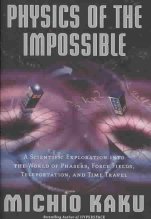
Physics of the Impossible: a Scientific Exploration into the World of Phasers, Force Fields, Teleportation, and Time Travel by Michio Kaku
Looks at the scientific principles behind the technology of the future, examining the theoretical basis, as well as limitations, of the laws of physics to discuss how seemingly impossible devices could become commonplace in the future.time3

Spooky Action at a Distance: the Phenomenon that Reimagines Space and Time and What it Means for Black Holes, the Big Bang, and Theories of Everything by George Musser
Presents a tour of modern physics that examines the new understanding of nonlocality–the ability of particles to affect each other across the vastness of space.

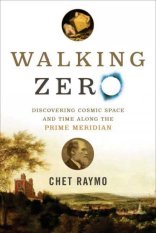
time4Walking Zero: Discovering Cosmic Space and time Along the Prime Meridian by Chet Raymo
A noted science writer and author of The Path offers an illuminating study of the interconnections among science, faith, psychology, and the arts in terms of the evolution of the human understanding of space and time as he walks along the Prime Meridian, the line of zero longitude and the standard for world maps and clocks, from Brighton to the North Sea.

time6What is Relativity?: an Intuitive Introduction to Einstein’s Ideas, and Why They Matter by Jeffrey Bennett
An astrophysicist offers an entertaining introduction to Einstein’s theories, explaining how well they have held up to rigorous testing over the years, and even describing the amazing phenomena readers would actually experience if they took a trip through a black hole.

Once you figure out hoe time travel works, or somehow or other gain a little extra time, you might want to explore further with: The Fabric of the Cosmos: Space, Time, and the Texture of Reality by Brian Greene, A Brief History of Time: From the Big Bang to Black Holes by Stephen W. Hawking, Endless Universe: Beyond the Big Bang by Paul J. Steinhardt and Neil Turok, Cosmos by Carl Sagan, The Science of Star Wars by Jeanne Cavelos, The Physics of Star Trek by Lawrence M. Krauss, or Physics of the Future: How Science Will Shape Human Destiny and our Daily Lives by the Year 2100 by Michio Kaku.

Our Year in eBooks

We had a lot of eBook readers at Cheshire Library in 2015! Over 1000 unique users  checked out close to 8000 eBooks from our main digital catalog, OverDrive.

Here’s a breakdown our year in eBooks:

eBook Infographic-2015

Kindle was the preferred download format by a wide margin, and Go Set a Watchman was far and away the most downloaded eBook in our OverDrive collection in 2015.

Although OverDrive has our largest collection of eBooks, don’t forget that we also have ebooks available for download (with your Cheshire Library card) from our OneClick Digital and hoopla catalogs. Our “eLibraries” are open 24/7, you can check out books, movies, music, and magazines right from home whenever the mood strikes,  and the items return themselves, so there’s never a late fee! Head to the “Download It!” link on our website to learn more about our digital collections.


One Password to Rule Them All!

password

I’ve noticed some patrons who come to library tech tutoring struggle to keep track of their passwords. They scribble them in notebooks, tape them to their laptops, jot them down on post-its, and before they know it, they’ve lost them. Sound familiar?

Resetting a password is no simple matter either, and if you don’t have access to your email or remember your security questions, you might find yourself locked out of your account permanently.

Adding to the confusion, many of us have more than one password reset email, and we all certainly have more than one account we need to remember. As Technology Coordinator for the Library, I have about 100 passwords to remember at any given time, and that’s just for my job.

You’re really in trouble if you forget the password to your computer as one gentleman I recently worked with will tell you. His MacBook had no recovery partition, and we had to completely reinstall his entire computer—All for forgetting a little password!

Luckily, there are several companies offering solutions to the password dilemma. Two of my favorites are 1Password and LastPass.

1Password is an app that stores all of your passwords and automatically fills them in for you on websites. You can download it for Mac, Windows, iOS, Android, and as a browser extension for Safari, Chrome, and Firefox, so you’re never without your passwords everywhere you go. It even stores data for security questions, pin numbers, and anything else you might need.  All you need to remember is your one Master Password which will grant you access to your encrypted password database.

In the event your laptop stops working or you drop your iPhone in a toilet, you’re still covered. You can opt to backup your passwords to the cloud through DropBox or iCloud, or save it to a folder on an external backup drive. I use the DropBox backup, and it saved me when I lost a harddrive last year. All 184 passwords were still safe!

I really can’t say enough good things about 1Password. I use it every single day and it gives me immense peace of mind. If you’re struggling to remember and document your passwords in a reliable manner, definitely give 1Password or its similar competitor, LastPass, a try.


Technology Help – Need device advice? Schedule a one-on-one lesson in the basics of computers, laptops, tablets, and eReaders. Call the library at 203-272-2245 to make an appointment or come to our monthly Drop-in Tech Help program.