Protect Yourself from Tech Support Scams

1297213003780_original

As the Technology Coordinator at the Cheshire Public Library, I am sometimes asked about the legitimacy of virus and malware alerts.

Imagine you’re browsing the web or enjoying a cup of coffee at home and you receive a phone call from someone claiming to be from Microsoft or another well-known technology company. They say they’ve detected viruses or spyware or malware on your computer that could damage your system or steal your identity. They emphasize the danger you’re in and say your bank account and credit card information could be in jeopardy. They offer to sell you anti-virus software or fix your computer. Does this scenario sound familiar?

IT’S A SCAM! Instead of a phone call, these scams can also take the form of pop-up warnings or email messages. These scammers might:

  1. Try to enroll you in a bogus computer security or virus protection subscription program that does nothing.
  2. Ask you for your credit card information to bill you for phony services or protection you can get for free.
  3. Trick you into installing malware that could steal your usernames, passwords, and financial information.
  4. Ask you to give them remote access to your computer and then change settings so they can then infect your computer.
  5. Ask you to visit certain malicious websites to enter credit card information and personal details that they then use to make fraudulent charges.

These scam artists take advantage of our reasonable concerns about viruses, privacy, and identity theft. They purposely prey on groups who may not have as much experience with computers and the way they work, like senior citizens. Their aim is not to protect your computer or your identity, but the exact opposite. They want to make money, steal your identity, or take over your computer to do just that. It is these pop-ups, ads, emails and phone calls that are the real security threats.

If you find yourself dealing with one of these scams, please stay calm. Rest assured your computer or identity are not in peril and do not give out any personal or financial information. Report the phone call, pop-up, or email to the Federal Trade Commission by calling the Identity Theft Hotline at 1-877-438-4338 or TTY 1-866-653-4261.


Technology Help – Need device advice? Schedule a one-on-one lesson in the basics of computers, laptops, tablets, and eReaders. Click here to request an appointment online or call the library at 203-272-2245 to make an appointment. The library also offers a monthly Drop-in Tech Help program.


 

I’m in Love with lynda(.com)

ldc-desktop-icon-512x512-300x300Yahoo! The Cheshire Library now has lynda.com.

lynda is an online learning site with over 3,000 courses covering a myriad of topics. Microsoft Office. Personal Finance. Web Design. Social Media. Photography. Happiness.

You can login to lynda.com from the library’s eLearning page on our website. All you need is a Cheshire Library card.

You can take a class on Computer Literacy for Windows 10. You can follow one of lynda’s specially curated Learning Paths and learn how to become a graphic designer, digital marketer,  IT security specialist, and many other careers. You can take a ten minute class on Managing Your Time or an 8 hour course on Word Essential Training.

It’s not all about work and career, either! Focus on personal skills such as Balancing Work and Life, Managing Stress, or Overcoming Procrastination. There are classes on Mindfulness, Learning to Say No, Embracing Change, and Building Self-Confidence.

You can watch a video at midnight. At 2 in the afternoon. Or at 3 in the morning. lynda.com is available 24/7. And the classes are FREE if you have a Cheshire Library card.

Keep an eye on this blog. In the future, I will be highlighting groups of courses available from lynda ranging from business to technology to lifestyle. There’s something for everyone!

Taming Information Overload

Ironically, here’s some more information for your information-overloaded life that is actually about coping with all the information that bombards us each day.  Fortunately, you can relax and quickly browse this easy-to-read post. There’s no need for long descriptions. The titles say it all.

ParadoxThe Paradox of Choice: Why More is Less by Barry Schwartz


organizedThe Organized Mind: Thinking Straight in an Age of Information Overload by Daniel J. Levitin


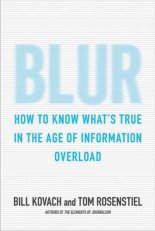
BlurBlur: How to Know What’s True in the Age of Information Overload by Bill Kovach and Tom Rosenstiel


mindfulMindful Tech: How to Bring Balance to Our Digital Lives by David M. Levy


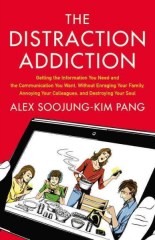
distractionThe Distraction Addiction: Getting the Information You Need and the Communication You Want, without Enraging Your Family, Annoying Your Colleagues, and Destroying Your Soul by Alex Soojung-Kim Pang

Technology Is Good for Seniors

senior-man-and-woman-using-a-computer-laptop

I’ve tutored many seniors in using technology, and our sessions typically begin the same way. The student announces, “I’m no good with computers! I’m computer illiterate. I can’t learn this stuff.” I then disagree and say anyone can learn technology, no matter their age, and in fact, everyone should learn. Just because you didn’t grow up with internet and touch screens doesn’t mean you can’t learn how to use them. We all have to start somewhere.

Once you begin learning, you’ll be very glad you did. From email and social media to advanced topics in file management—seniors are embracing tech as they see the value it can bring to their lives. The next time you feel like saying, “I don’t use computers” or “I have no use for a tablet” consider this list of reasons to start learning tech today!

  • You can bring the world to you. As we age, our mobility is sometimes restricted. Some seniors no longer drive, and others have health issues impeding their ability to go where they wish. Technology can even the playing field by bringing the entire world to your doorstep.
  • You can keep up-to-date on news and current events through online media.
  • You can research the latest information on topics from medical conditions to travel to cooking to gardening—the sky’s the limit.
  • You can stay in touch with friends and family through social media, messages, and email. Apps like Skype, FaceTime, and other video chat applications allow you to actually see and talk with friends and loved ones who may live far away.
  • You can stimulate your brain with hundreds of thousands of games. Many seniors especially enjoy Words with Friends, a form of Scrabble, that lets you play against people all over the world.
  • You can buy clothes, prescription eyeglasses, medical supplies, laundry detergent, olive oil, cat food—anything you can think of, and usually with free shipping to your doorstep. You can even order perishable groceries through services like Stop & Shop’s PeaPod and ShopRite from Home and arrange a day and time for them to be delivered.
  • And most important to us libraries — You can READ! Tablets like iPads and Kindles and e-readers are wonderful for those seniors who enjoy reading but struggle with aging eyes. Book text can be made larger and brighter allowing a more comfortable reading experience. E-readers are also very light. The newest Kindle is only 6.3 oz, much lighter than a standard hardcover book. Thousands of titles are available right now for FREE through your local library.

Are you ready to start learning? No excuses!  4abc340cf5d893ff4bf6ebc17b29c221


Technology Help – Need device advice? Schedule a one-on-one lesson in the basics of computers, laptops, tablets, and eReaders. Call the library at 203-272-2245 to make an appointment or come to our monthly Drop-in Tech Help program.

What’s All the Hoopla?

What is Hoopla?
hoopla
For those that have never explored our digital offerings, Hoopla is a free service that is available to Cheshire library card holders (just like Overdrive)! All you need to register is your library card number, and then you create your own user name and password, which you will use to sign in from your computer or mobile device. (If you are a cardholder from another library, you may have access to the service through your own library. If you are unsure check with your home library.)

hoopla Welcome Header CPLHoopla offers users digital access to videos (movies & TV), full music albums,  audiobooks, e-books & comics  and more twenty-four hours a day. While there is a limit to how many items you can borrow per month with this service (six per user per month) as long as you are not binge watching a television series, this should not cause much frustration. Many people use this service to watch movies without having to wait their turn on a holds list. I tend to use it to watch the harder to find titles like Anime or Foreign Films that are less likely to be found in our physical collection.

The varied genres and search categories Hoopla offers can make it easy to find the documentary that was recommended but you somehow never got to see, or that weird children’s movie that your kids keep asking for but your old VHS or DVD is no longer working.  My husband, who is not a big reader, has caved to the influence of myself, a coworker, and some of his favorite shows, and started reading graphic novels. What we do not hand him, he reads via Hoopla. I have since used the service for the same thing.

Want to take a moment and browse the huge collections available via Hoopla? Well, no time like the present! Take a quick gander at all the Audiobooks, Movies, Music, Comics, Ebooks, and  Television Shows at your fingertips!

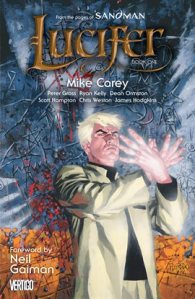
Want to know some of the curious and simply interesting things I have found via Hoopla just to get you started? How hoopla3about the non-fiction mythology guide Percy Jackson’s Greek Heroes, or a book with instructions and patterns for Quick & Easy Crochet Cowls. Perhaps the very first episode of the original Lone Ranger television show or the Audiobook of The Scarlet Pimpernel is more your speed? Do you want to help you children learn french with the help of cartoon dinosaurs, or maybe try a new work out from Jillian Michaels? Personally, I am currently reading the hoopla2first graphic novel of Lucifer, while my husband is pursuing a variety of titles after having finished up all the published volumes of The Walking Dead.

The variety is huge! Frankly, I am sometimes overwhelmed by the the choices and have to pace myself so that I do not hit my limit of materials before the end of any given month- simply because there are so many choices and I am too excited to read or watch something right now to hold back from clicking that borrow button.

Need some technical help with Hoopla or still have some questions? Please comment below and I will answer any questions I can, and if I do not know the answer I will get the information for you. If you do not want to wait for me to get back to a computer to answer, you can also try our information page, the official hoopla support page, or give us a call at 203-272-2245 and choose the reference desk option.