 Cloning seems new, but it’s technically been around longer than man – identical twins can be considered clones, splitting a single fertilized egg into two or even four genetically identical individuals from that one egg. Modern cloning, wherein cells are taken from a living donor and a primitive cell is induced to become an organism traces back to just 1996, when Dolly the Sheep was cloned from a mammary cell of another sheep, the first time a body cell was used instead of a sex cell – an egg or sperm.
The success of Dolly induced a rush to clone everything. Companies still offer to clone  your pet, so that when it dies you can have an exact replica. Zoos and conservationists tried vainly to clone endangered species. And, due to the discovery of some well preserved remains of extinct creatures such as the mammoth and Otzi, the ancient hunter, biologists, paleoarchaeologists, and dreamers leaped at the chance to resurrect ancient animals, or possibly even a Neanderthal (if you believe they are truly extinct. It’s been found that modern people of European descent may have as much as 5% Neanderthal DNA .
 Is this even possible? Jurassic Park resurrected the dinosaurs, and outside of making a tidy sum for their producers (four films have brought in more than 3.6 billion dollars. Billion with a B, not counting book sales), we understand the havoc that created, substituting frog DNA for missing strands of dinosaur.
Two recent books discuss this possibility in thoughtful detail.
Resurrection Science, by M.R. O’Connor, is philosophical 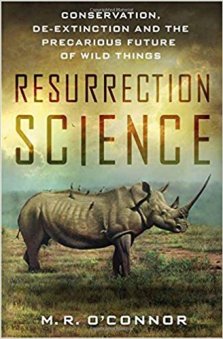 and easy to read. She discusses reasonable ethics regarding several endangered species, but leaves the questions open for the reader to decide. Should millions of people be denied electricity because a mere handful of frogs live only in six square feet of mist of one waterfall deep in the jungle? Should we be captive-breeding the Florida panther, only to release them into a concrete jungle so they can be hit by cars and shot by people freaking out when they see them? Species have been going extinct for millions of years; should we be trying to save them if we’ve destroyed the very environment that made them what they are? And by the time you artificially recreate animals, hand-rear them (because the parents are extinct), and then set four of them free – are they really the animal you were trying to save? Because they were artificially created, they don’t know what to do, how to attract mates, what or how to forage and eat, and can starve to death.
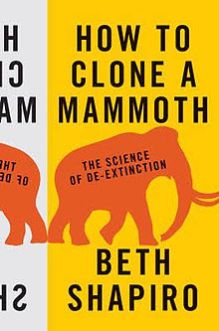 How to Clone a Mammoth, by biologist Beth Shapiro, is still easy to read, but contains a chapter on the hard-core dynamics involved in splicing and replicating DNA material. While Shapiro is among those who would love to see mammoths cloned, she’s deep in the know and admits it’s not feasible. Not only has not a single complete strand of viable DNA been recovered, no study takes into account the near impossibility of actually making the goal: in trying to resurrect the recently extinct Bucardo (a type of Spanish Ibex), using frozen cells taken from a then-living animal (not a 20,000 year old dried out one), 780 cells were transplanted to eggs, but only 407 developed into embryos. Two hundred eight were implanted into hosts, of which only seven became pregnancies (an efficacy rate of 3%). Of these, just ONE made it to term (0.4%). That one animal had a lung defect so severe
  it lived less than ten minutes. Cloning, depending on specie, has a terrible rate of success, with animals frequently dying of defects or cancers. Shapiro discusses the ethical concerns of what to do with a mammoth if you do create one – no one knows its behaviors. The MAMMOTH won’t even know how to act like a mammoth. Are they solitary or social? Will it pine in loneliness? What does it eat? Does that diet still exist? Where will you keep it? We’re bringing alive an animal we have no data on whatsoever. Is this fair to the animal? If not a mammoth, should we try to resurrect something else recently extinct whose absence IS having a deleterious effect on the environment? Shapiro paints a harsher ethical – and realistic – picture.
Technology is closer than ever to reaching de-extinction goals, and with increasing earth temperatures melting permafrost and releasing be tter-preserved specimens every year, the chance of finding usable DNA grows ever closer. Both of these books present a balanced side to the argument. Of course we WANT to bring back mammoths. The question remains: should we?











 The Cheshire Library Blog