Consider A Chromebook

HP Chromebook

A Chromebook is a laptop of a different breed. Instead of Windows 10 or Mac OS X, Chromebooks run Google Chrome OS. Chromebooks are often criticized as “glorified web browsing machines” or disparaged for their lack of functionality. It is true that their functionality is limited, but I think the negative comments are unfair.

A Chromebook is designed to be used while connected to the internet, with most applications and documents living in the cloud. You can’t really “install” any applications. If you want to download iTunes, you’re out of luck. But you can listen to your music collection by moving it to the cloud in Google Play Music, a free alternative service. If you want to install Microsoft Office, you’re also out of luck. But you can use Microsoft Office Online, Microsoft’s new (and free!) cloud version of its popular office software. You can also use Google Docs and Slides.

And that is the theme of the Chromebook: if you think you can’t do something, you’re not thinking outside of the box, or outside of the OS! (That was a joke. You don’t have to laugh.)

Think of the last time you used your computer. I bet you were doing something online, and if not, I bet you could have been doing it online through a free cloud-based alternative. The software you use on your computer is more and more likely to be available in cloud-form as the days go by. Even Adobe Photoshop now has free cloud-based alternatives like Pixlr Editor.

On average, Chromebooks cost less than $200, and they have a boot time that’s well under 5 seconds. The Google Chrome operating system (OS) takes up about 4GB of space, compared to 11GB for Windows 10 and 15GB for OS X. This small footprint allows Chromebooks to affordably utilize lightning fast solid state drives (SSDs). They also have a long battery life.

So is a Chromebook right for you?

If you spend the majority of your computer time on the web, whether it’s surfing social media, reading the news, or using web-based services like Gmail and Google Docs, then Chrome OS would meet your needs just fine.

Take a moment and think about the programs locally installed on your computer, like word processors, email apps, image and video editing software. If these can be replaced with web-based alternatives, a Chromebook can work for you.

In fact, there’s a good chance a Chromebook will actually make things easier than what you’re used to with a traditional PC setup. Virus protection is built-in, and you never need to update your apps or your operating system. You never need to download drivers or “optimize” your PC to make it faster. You turn on your Chromebook, and 5 seconds later, you’re on the web.

To learn more, visit Google’s Chromebook site: http://www.google.com/chromebook


Technology Help – Need device advice? Schedule a one-on-one lesson in the basics of computers, laptops, tablets, and eReaders. Call the library at 203-272-2245 to make an appointment or come to our monthly Drop-in Tech Help program.

One Password to Rule Them All!

password

I’ve noticed some patrons who come to library tech tutoring struggle to keep track of their passwords. They scribble them in notebooks, tape them to their laptops, jot them down on post-its, and before they know it, they’ve lost them. Sound familiar?

Resetting a password is no simple matter either, and if you don’t have access to your email or remember your security questions, you might find yourself locked out of your account permanently.

Adding to the confusion, many of us have more than one password reset email, and we all certainly have more than one account we need to remember. As Technology Coordinator for the Library, I have about 100 passwords to remember at any given time, and that’s just for my job.

You’re really in trouble if you forget the password to your computer as one gentleman I recently worked with will tell you. His MacBook had no recovery partition, and we had to completely reinstall his entire computer—All for forgetting a little password!

Luckily, there are several companies offering solutions to the password dilemma. Two of my favorites are 1Password and LastPass.

1Password is an app that stores all of your passwords and automatically fills them in for you on websites. You can download it for Mac, Windows, iOS, Android, and as a browser extension for Safari, Chrome, and Firefox, so you’re never without your passwords everywhere you go. It even stores data for security questions, pin numbers, and anything else you might need.  All you need to remember is your one Master Password which will grant you access to your encrypted password database.

In the event your laptop stops working or you drop your iPhone in a toilet, you’re still covered. You can opt to backup your passwords to the cloud through DropBox or iCloud, or save it to a folder on an external backup drive. I use the DropBox backup, and it saved me when I lost a harddrive last year. All 184 passwords were still safe!

I really can’t say enough good things about 1Password. I use it every single day and it gives me immense peace of mind. If you’re struggling to remember and document your passwords in a reliable manner, definitely give 1Password or its similar competitor, LastPass, a try.


Technology Help – Need device advice? Schedule a one-on-one lesson in the basics of computers, laptops, tablets, and eReaders. Call the library at 203-272-2245 to make an appointment or come to our monthly Drop-in Tech Help program.


Keep Yourself Reading

I’ve always been an avid reader, but sometimes I stall out for weeks at a time. It could be that a book just isn’t clicking with me, and so I never make the time to finish it. Or maybe I finish a particularly challenging or emotional book, and I’m hesitant to jump into a new story right away. Or maybe I’m just busy. Or maybe I’m watching too much Netflix!

If this sounds like you, I can help. Over the years, I’ve learned a few tricks to keep myself always reading.

  1. Keep track of the books you want to read so you never have to wonder “What’s Next?” I love www.goodreads.com for keep tracking of what I’ve read and what I plan to read.
  2. Don’t waste time on a book that isn’t for you. If you’re not enjoying something, allow yourself to read another book instead. Reading for pleasure should never be a chore! You can always come back to that other book later.
  3. If life seems to get in the way of making time for reading, grab something that you can’t put down. It’s OK to indulge in fluffier stories if that’s what keeps your momentum going. You’ll be surprised by the time you suddenly “find” when a book is too good to ignore.
  4. Make reading a part of your routine. Whether it’s with your morning coffee, on your lunch break, or before you go to sleep, try to make a set time to read every single day.
  5. And my favorite tip: When you finish a book, immediately start reading another one, if only just the first page. This remedies the problem of letting a book “sink in” for a day, or two days, before picking up another.

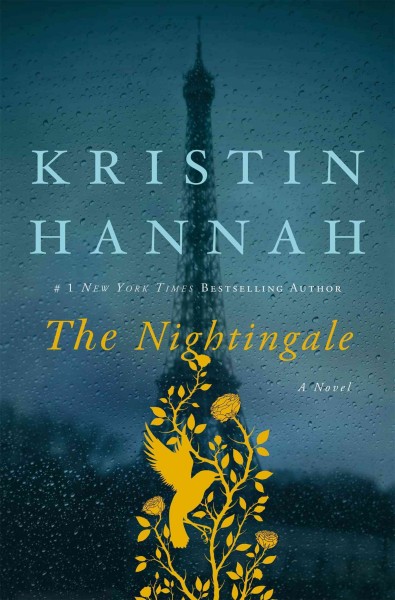
I recently stalled after reading The Nightingale. It was such an emotionally intense book that I couldn’t bring myself to open another after I’d finished it, and soon a week, and then two went by. Luckily, a friend let me borrow a real page-turner, The Headmaster’s Wife, and I got my momentum back. If you like ivy-covered boarding schools, mystery, and intrigue, check it out!

The Nightingale        The Headmaster's Wife

The Nightingale by Kristin Hannah

The Headmaster’s Wife by Thomas Christopher Greene


Top Picks: Outdoor Literature

mountains

“I now walk into the wild.”
― Jon Krakauer, Into the Wild

It’s summer, and everyone is busy enjoying the outdoors with friends and family. Nice weather brings swimming, hiking, camping, and picnics, and a greater appreciation for nature. With so much time outside, you may feel inspired to read some Outdoor Literature. The Cheshire Public Library has you covered!

Outdoor Literature encompasses several different subgenres of literature, including exploration literature, adventure literature, mountain literature, and nature writing. Here’s a small sample of the books we carry to get you started.

Jacket.aspx4 2


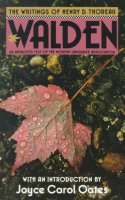
Walden by Henry David Thoreau

Originally published in 1854, Walden, or Life in the Woods, is a vivid account of the time that Henry D. Thoreau lived alone in a secluded cabin at Walden Pond. It is one of the most influential and compelling books in American literature.

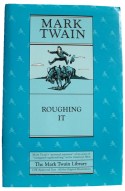
Roughing It by Mark Twain

Roughing It follows the travels of a young Mark Twain through the Wild West during the years 1861–1867. U.S. astronauts Frank Borman and Jim Lovell read Roughing It aloud to pass the time aboard NASA’s Gemini VII in 1965.

Into the Wild by Jon Krakauer

In April 1992 a young man from a well-to-do family hitchhiked to Alaska and walked alone into the wilderness. He had given $25,000 in savings to charity, abandoned his car and most of his possessions, burned all the cash in his wallet, and invented a new life for himself. Four months later, his decomposed body was found by a moose hunter. How McCandless came to die is the unforgettable story of Into the Wild.


5    63

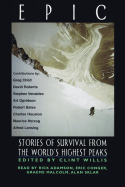
Epic: stories of survival from the world’s highest peaks edited by Clint Willis

Epic is a collection of fifteen memorable accounts of legend-making expeditions to the world’s most famous peaks, often in the world’s worst possible conditions. Editor Clint Willis has gathered the most exciting climbing literature of the modern age into one cliff-hanging volume.

American Earth: environmental writing since Thoreau, edited by Bill McKibben; foreword by Al Gore

American Earth is an anthology of seminal American environmental writing from the past two centuries. It considers the influence on the ways in which people view the natural world and includes pieces by such figures as Henry David Thoreau, John Muir, and John James Audubon.

Wild by Cheryl Strayed

A powerful, blazingly honest, inspiring memoir: the story of a 1,100 mile solo hike on the Pacific Crest Trail that broke down a young woman reeling from catastrophe–and built her back up again.

If you care to delve deeper into the subject of Outdoor Literature, check out National Geographic’s list, Extreme Classics: The 100 Greatest Adventure Books of All Time.


What is this Paleo stuff, anyway?

paleo diet

You’ve probably heard of the Paleo Diet by now. Like all new and popular diets, it is controversial, but it differs from other low-carb diets in its emphasis on natural foods and exercise.

The Paleo Diet is based on the idea that modern humans should go back to eating whole unprocessed foods to achieve optimal health. It is also sometimes called The Caveman Diet, but don’t let the name deter you. The Caveman is just a mascot, and the Paleo Diet is not about historical reenactment. It’s simply a framework for improving health through food and lifestyle.

The idea is simple:

  • Eat more nutrient-rich whole foods, like fresh vegetables, meat, seafood, nuts, and fruit.
  • Avoid processed foods with added sugar, chemically processed and refined vegetables oils (corn oil, soybean, sunflower, corn), and anything with ingredients you can’t easily identify.
  • Avoid processed and refined carbs. This includes most breads. Carbs are acceptable in lower quantities, but they should not be the bulk of your diet.
  • Eat healthy fats, like avocados, grass-fed butter, and coconut oil.
  • Dairy is OK in small amounts. Aim for organic, grass-fed, full fat or fermented (yogurt, kefir, cheese). Skim milk is high in sugar!
  • Get some exercise every day, preferably outside and at a relaxed and steady pace. Avoid stressful cardio.

If you want to embark on your own Paleo journey, the Cheshire Public Library has over 50 books on the Paleo Diet! Here’s a small sample to get you started:

1 2 3 4 5 6 7 8 9 10

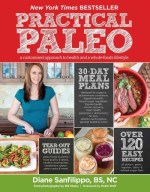
Practical Paleo: a customized approach to health and a whole-foods lifestyle – Diane Sanfilippo

Your personal Paleo code: the 3-step plan to lose weight, reverse disease, and stay fit and healthy for life – Chris Kresser

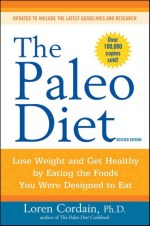
The Paleo diet: lose weight and get healthy by eating the foods you were designed to eat – Loren Cordain

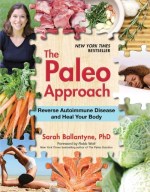
The Paleo approach: reverse autoimmune disease and heal your body Sarah Ballantyne

The Paleo slow cooker: healthy, gluten-free meals the easy way Arsy Vartanian

The autoimmune Paleo cookbook: an allergen-free approach to managing chronic illness – Mickey Trescott

Paleo lunches and breakfasts on the go: the solution to gluten-free eating all day long with delicious, easy, and portable primal meals – Diana Rodgers

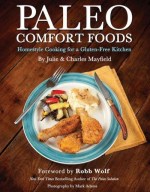
Paleo comfort foods: homestyle cooking for a gluten-free kitchen – Julie & Charles Mayfield

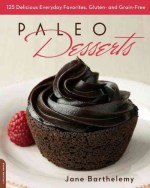
Paleo desserts: 125 delicious everyday favorites, gluten- and grain-free – Jane Barthelemy

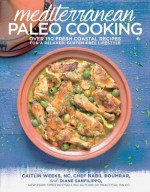
Mediterranean Paleo cooking: over 150 fresh coastal recipes for a relaxed, gluten-free lifestyle Caitlin Weeks, Nabil Boumrar, and Diane Sanfilippo