So you’ve wiped down your CD or DVD, buffed it shiny, but it still skips, chirps, freezes, and refuses even to advance to the next section. Now you’ve got a problem. Check that mirrored side. Chances are, it’s covered with scratches. Small scratches, especially those on audio media like CDs and audiobooks, and those that run outward from the center to the edge of the disc, may not have any effect at all on performance. DVDs, however, are much fussier, and a minor ding may create havoc. Scratches that run around the disc like an old record interfere the most.
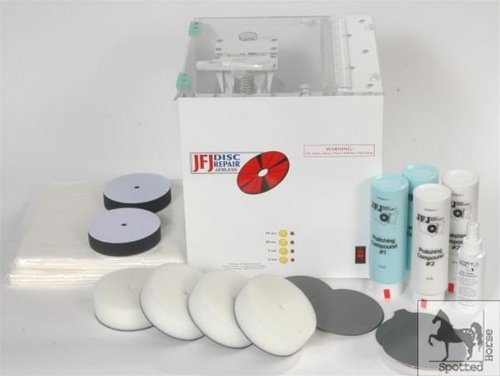 Cheshire Public Library has professional equipment for resurfacing media discs. If simply washing and wiping doesn’t help, we put troubled discs through a three-step process. Seriously damaged discs are scoured smooth with fine sandpaper, then buffed back into shape at high speed, and finished off with a polishing coat of protectant. Usually this is enough to bring them back into good-as-new shape. Small, light scratches will disappear; deep gouges – the kind you can click with your fingernail – are a very bad sign and usually cannot be repaired.
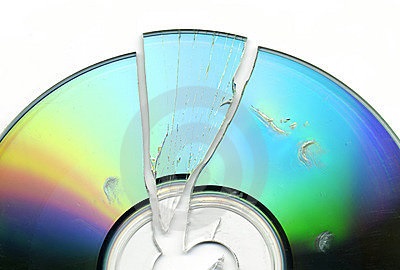 Some damage cannot be fixed. Disc materials are a layer of polycarbonate, a layer of foil, and a layer of lacquer. Any damage to the foil layer, from pen marks, pavement divots, dog teeth, to separation of layers and peeling, is a death sentence for the disc. Likewise, cracks cannot be repaired, because they interfere with that all-important foil layer where the data is stored. Blu-Ray discs are generally much tougher than regular discs, which is good, because they cannot be repaired at all. Blu-Rays have a heavier coating that the cleaning machine cannot penetrate. Amazingly, despite several years of use, we have lost perhaps only two Blu-ray discs because of scratch damage.
The easiest way to keep discs working well is to be gentle with them! Don’t wrestle them from packaging but press that center hub until the disk releases. Always handle them by the edges, and replace them in their case as soon as you are finished with them. Make sure they click onto that hub – shaking around loose in the case will scratch them! Don’t let children play with them, and don’t leave them where your dog can chew them. Be especially careful with items you listen to in the car: the sand you carry in the carpeting of your automobile can damage a disc exceptionally fast. If a disc won’t work, let us know, so we can fix it as soon as possible – tell us which disc of a set, which scene or which track if possible. If the case is broken and the disc is rattling inside, tell us, because those broken hubs are little scratch factories. Disc materials are an expensive part of library acquisitions, and we work hard to keep them in the best shape they can be.


 The Cheshire Library Blog