OpenDyslexic Font Option for Library eBooks

For many of us, reading is a pleasurable and relaxing way to spend time. For people who struggle with dyslexia, it can be a source of frustration and stress, and the opposite of relaxing.

Dyslexia is a language-based learning disability, and how it manifests itself can vary greatly from person to person. At its core, though, is a difficulty with reading words, and with identifying how speech sounds relate to letters and words. Many people with dyslexia have trouble “decoding” certain letters or numbers that they see, they don’t always interpret them correctly. For these people, different font types can make a difference in how they see the letters and words they are trying to read.

In 2008, Dutch graphic designer Christian Boer,  who struggled with dyslexia, started working on a font that would help him read more easily. The Dyslexie  font used heavier line thickness to emphasize the bottom of most characters. This was to try to “anchor” the letters since some people with dyslexia may have trouble getting letters on the page to stay still.  In 2011 a similar (and free)  open-source font was released, called OpenDyslexic. It has been updated continually and improved upon based on input from dyslexic users.


OverDrive began offering OpenDyslexic as a font option for its ebooks back in 2015. The wider spacing, bottom heavy and unique character shapes can help make it more difficult to confuse letters. If you or someone you know has trouble “decoding” printed words, try downloading an eBook from our OverDrive collection and using the OpenDyslexic font to read it. While it’s not a cure-all, it may make reading a little bit easier.

For more information, Cheshire Library also has many books on dyslexia,  in both print and  audiobook formats.

Little Starlings

I am a deep introvert. I’m perfectly fine talking only to the cat or TV. Hence, when my son was born, I figured if I didn’t start talking to him, he’d never learn to talk (my first mistake), and thus began thirty years of talking to myself and narrating what I’m doing.

Research published in the book Meaningful Differences, by Betty Hart and Todd R. Risley, showed a direct link between the number of words a child heard at home by the age of three, and their academic performance in Grade 3 (the age of 8). Children in poor/welfare homes heard, on average, 600 words an hour. Children of working-class homes heard 1200, and children of professional parents heard 2100. That racked up to children of professional parents hearing 30 million more words by the age of three than a poor child. So?

Exposure becomes verbal fluency. Verbal fluency is required for reading proficiency, and reading proficiency is required for academic proficiency.  The child who has minimal language is going to lag far behind on reading and academics.

How many words is your child really hearing?

Based on these studies, along comes VersaMe’s Starling, a handy-dandy little device that tracks just how many words your baby hears during the day.  It’s just a little clip-on star that records the number of words a baby hears, not the actual words (no one will hunt you down because of what you said when that [jerk] cut you off ). It’s convenient, easily rechargeable, and holds a charge for up to three days, so you don’t have to worry about plugging it in every night. It uses Bluetooth technology to report in real time to your smartphone, so you can track as you go. The clip is rather strong – the first day, it took my 14 month old 4 hours to wrestle it free, and by the next day, she wasn’t paying it any attention. It is fully waterproof, drool proof, and not particularly chewable, which was nice.

The first day we broke 10,000 words, the second day 11,000, and the third day for some reason, even though we went to a party with lots of people talking to her, it didn’t record, which was disappointing. Our best was 16,000.

Per day, 11,000 words seems like a lot, but when you figure the child is only awake 12-14 hours, and take out an average of three hours for naps, we didn’t even hit Middle-Class. Yet, I have a toddler who is off the charts in vocabulary and language skills.  Even the authors of the original study admit that quantity is nothing in the face of quality. Ten minutes spent reading a book with your child will go farther than three hours of TV.  And no, Starling can’t differentiate between people and TV.

Should you try Starling?

If you are a new parent with questions, if you’re the parent of a developmentally delayed child, if you’re just curious about yourself, then by all means give the Starling a try. It’s easy, it’s fun, and interesting to see the results. But remember, worrying about arbitrary marks isn’t good. Children, toddlers, babies all need critical down time to process all that information they’re learning.  Imagine someone following you around talking to you every waking second. You’d lock yourself in the bathroom for just 5 minutes of quiet. Your baby is no different. Language is important, but so is quiet alone time.

Starling is fun. It’s informative. Use it as an investigative tool, maybe increase some quality time or have an extra imaginary conversation on a play phone. If you want to try out a Starling, you can borrow one from the library.

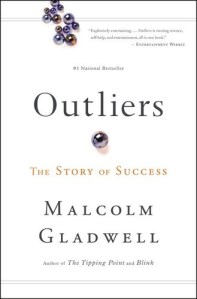
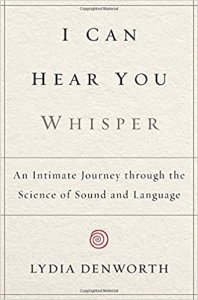
For a helpful look on the making of brilliance and achievement, check out Malcolm Gladwell’s Outliers. For a fascinating look on the importance of auditory language, check out I Can Hear You Whisper: An Intimate Journey Through the science of Sound and Language (it’s not as sciency as it sounds), by Lydia Denworth. It’s awesome!

iPhone X, the Power in Your Pocket

iphone-x-alternate-header

I recently attended a conference in Atlantic City on the future of technology. Topics included self-driving cars, virtual and augmented reality, designer babies, nanobots, the implications of artificial intelligence, and more.

One session in particular really stayed with me: The Smart Phone.

Assuming you own one, have you thought much about your smart phone and how ridiculously powerful it is? It’s an equalizer for access to information. It’s an instant connection to the whole wide world.

Exactly 10 years ago, the first iPhone was released. Steve Jobs introduced the iPhone as a combination of three devices: a music player with touch controls, a revolutionary mobile phone, and a breakthrough Internet communicator. The days of duck-hunting on a flip-phone keypad were over. Do you remember typing “222” for the letter C? Not very convenient! The first iPhone boasted a big responsive touch screen, a proper keyboard, and nimble navigation.

Fast-forward 10 years later: The new iPhone X has facial recognition and you can shop online using your FACE to make payment. It has photography and film capabilities that rival a professional studio. It can instantly connect you to millions around the globe and shoot stunning HDR video in 4k resolution. It’s trained to know your voice and only respond to you. Just think about it. Imagine everything you can actually do with your smart phone right now and it will boggle the mind. At first the microphone was dumb, and then we taught it to understand us. The camera just took photos and then we taught it to recognize us. Imagine what’s in store for the iPhone 2027! It’s both exciting and scary.

The iPhone X starts at $1,000, and many are complaining that this is much too expensive. Consider for a moment this revelation from esteemed economist, Brad De Long. He ran some numbers on the iPhone X’s 256 GB of memory and 4.3 billion transistors in its A-11 processor and discovered that building an iPhone X in 1957 would have literally taken all of the money in the world.

Specifically, it would have cost 150 trillion of today’s dollars, which is one and a half times today’s global annual product. The CPU would have taken up a hundred-story square building 100 feet high and 2 miles long and wide. And to power the CPU, it would have drawn 150 terawatts of power—that is 30 times the world’s current generating capacity!

Meanwhile, in 2017, we’re carrying this device in our pockets. Pretty wild, isn’t it? $1,000 doesn’t seem so astronomical when you think about it in those terms.

If you’re interested in learning more about the history of the iPhone, check out these awesome books below. And as always, if you have any questions on your devices whatsoever, come to CPL’s Drop-in Tech Help! We hold it every week.

Jacket.aspx The One Device: The Secret History of the iPhone by Brian Merchant

Jacket.aspx

Steve Jobs by Walter Isaacson

ECHOs of the Season

Every year there’s some tech gadget that seems to be the “in” gift, whether it’s an iPod, a Kindle or cousin, or, with the prices continuing to fall, it could very well be an Amazon Echo, also known as Alexa – available for as little as $99.

What is an Echo? It’s an artificial intelligence billed as a virtual personal assistant, and overall it can do some pretty entertaining things. One thing to understand – an Amazon Echo Dot, and the Amazon Echo, are THE SAME THING. The difference (besides $50) is that the Echo comes with its own speakers; the Echo Dot has to use bluetooth technology to feed off a blue-tooth capable speaker you provide, whether your phone or boombox or clock, etc. That’s it. So treat them interchangeably, because they are.

Inspired by the Enterprise computer on Star Trek and built on the Android platform, Echo sits in your house and by request can immediately tell you the weather forecast, the news, the time, the sports report, play games with you, set an alarm, play an audiobook, play a perfect mix of music as a personal radio, power smart devices like the Nest thermostat, stream podcasts, make you a list, provide recipes, find your phone, call an Uber, tune your guitar, order take-out, and even send messages and email to other Echos. There are currently more than 1500 downloadable apps to allow it to do quite an array of useful things for you, hands-free. The programmers have thought up just about any way an Echo could be abused – swear at it, and it will correct you. Ask it if the CIA is listening, it will give you a wise-crack answer. Ask it to Beam Me Up and it will give one of several replies. Ask it to do the fandango, and it will reply appropriately.

Of course, nothing is without controversy. Unless you hit mute, rendering it “deaf” and unable to function, the Alexa/Echo sits in your house listening 24/7 for its wake-up word (“Alexa, …”) and a command. Those commands are recorded so that the Echo “learns” what you ask most and can process your commands quicker. It learns how to interpret your personal pronunciation. Amazon swears it is not recording what happens around your house, only the commands that follow the word “Alexa.” Sometimes it will “hear” something on a TV that sounds like a command, and respond. There was an incident of a child asking Alexa for a dollhouse, and a $170 dollhouse was sent by Amazon (moral: don’t leave one-click ordering engaged).

In another incident, a woman asked Alexa to dial 911 in the middle of a domestic dispute; the police arrived in time to save her life. Problem is, Alexa isn’t supposed to do that. Not only is it not connected to any call system (unless it’s another Echo), but communication rules prevent it from being able to call out unless it’s also able to receive calls in. Nonetheless, somehow, somewhere, something in the home called 911, because in the 911 recording, the woman is screaming for Alexa to call 911. It remains a mystery. In my own case, we’ve had the Echo suddenly awake for no reason and give the news or weather or just “I didn’t hear that,” as if it forgot it was supposed to be seen and not heard unless spoken to. Just a little creepy.

If a slim possibility of wiretapping freaks you out, then simply hit the “mute” button when you don’t want the Echo “hearing,” effectively turning it off. Unmute it when you want to use it.

While there are outside apps (like Ask My Buddy) that can connect your Alexa/Echo to a phone, I think it’s silly to put regulations on any capable device from calling 911. A cellphone will call 911 without a paid plan; why can’t a virtual assistant? How many elderly fall while their help button is sitting on the bathroom sink? Having a voice-activated 911 in the home for a disabled or elderly person can be lifesaving. Period.
Still don’t like your commands being recorded? Go into your Amazon account and erase them. Is it possible to hack the Echo? Not easily – the entire system would have to be hacked. But as we know with hacking, nothing is impossible, so it’s best not to chain sensitive accounts to your Echo, and again, if you’re worried, turn the Echo off (mute) when not in planned use. Yes, you can unplug it, too, but then you have to wait a minute for it to reboot and get its bearings again.

In my family, 99.8% of the Alexa/Echo use is for a commercial-free personal radio, with great playlists from Rush to Raffi. By far, we under-utilize its capabilities. As a gadget it has a multitude of uses, especially for any physically disabled person or shut-in. Does it do anything you can’t do with a computer or a radio? No. But it’s easy to move from room to room or take with you if you go somewhere (with wifi. It must have wifi to work.) It’s easy enough for Aunt Betty to learn to use. If it’s for someone who is tech-savvy, they’ll discover a world of things they can do with it.

As far as sale-priced gadget gifts go, yeah, this one is probably worth it.

For more on Artificial Intelligence, check out these titles, and more:

Breakpoint: Why the Web Will Implode, Search will be Obsolete, and Everything Else You Need to Know abour Technology is in Your Brain by Jeff Stibel

Our Robots, Ourselves: Robotics and the Myths of Autonomy by David Mindell

Final Jeopardy: The Story of Watson, the Computer that Will Transform Our World by Stephen Baker

Thinking Machines: The Quest for Artificial Intelligence and Where It’s Taking Us Next by Luke Dormehl

Life 3.0: Being Human in the Age of Artificial Intelligence by Max Tegmark

What Kind of e-Reader is Best for You?

So you’ve decided to get an ereader, yay!  Unfortunately, the decisions don’t end there.  Tablet or dedicated e-reader? Color or black & white? Kindle, Nook, iPad, or something else entirely?

There are a LOT of ways to read ebooks these days, and figuring out which device is best for your reading style can be confusing. Let’s try and break it down a little .

The first thing to figure out is whether you want to read on a multi-purpose device like an iPad or other tablet, or do you want a device that’s dedicated for books? A lot of that depends on the way you read. Here are some question to ask yourself before you decide to buy anything.

HOW much do you read?  If you read a lot of ebooks, you may want to keep them on a device that’s just for reading. If you’re only an occasional ebook reader, having a couple of books stored on your computer or tablet may be more convenient.

WHERE do you do most of your reading? Do you need a lighted screen because you like to read in bed when the lights are off? A tablet is best for this. Do you like to read outdoors in the daytime, where an LCD screen can be difficult to see clearly? A black & white e-ink reader is what you need.

WHAT are you going to read on your device? Will it be for text-only books, or will you be using it for magazines or children’s books, as well? Magazines and children’s books with pictures will look much better on a color tablet than a black & white e-reader, and many interactive children’s books will only work with a touch-screen tablet.

What about EYE STRAIN?  If you spend a lot of time staring at an LCD screen for work,  reading on another LCD screen like a tablet may may bother your eyes. The softer display of an e-ink reader may be more comfortable. Similarly, if you read for long stretches of time, you may find it more comfortable to read on an e-ink reader.

Once you’ve determined what type of display is best, you can determine which device is best for you. The simplest to use are most often the Amazon Kindles (like Paperwhite and Fire),  there’s even a Kindle app for iPad and Android tablet users. For those who might balk at being tethered to Amazon, there are other e-ink options like Nook Glowlight and Kobo. A good side-by-side comparison of many devices can be found here. Check out PC Magazine’s reviews of the most popular devices for 2017 here.

No matter what device you decide on, you can use it to download ebooks from Cheshire Library. Check out the DOWNLOADS page on our website to see all the different downloadable items you can access with your Cheshire Library Card.